Video content represents the new mainstream consumption experience and method of engagement, but producing content manually is time-consuming and costly. Text to AI Video Generator Apps are built on AI models that take a script to generate engaging video fast. They also lower the time and skill threshold to generating video content, support mass personalization, and more solutions will raise the bar, and user expectation for complexity along with it.
Creating a Text to AI Video Generator Application is a new opportunity for businesses and creatives to make engaging video content with speed. Here is a detailed, technical guide to developing an AI-powered product with information about the features, architecture, tech stack, developer costs, monetization opportunities, the best examples in the market, future trends, and why working with an enterprise AI development company like A3Logics has an added value.
What Is a Text to AI Video Generator App?
A Text to AI Video Generator App uses machine learning and natural language processing (NLP) models to turn written scripts or prompts into fully rendered films with images, voiceovers, effects, and even animated avatars. With just a little input from the user, modern AI video tools can automatically choose scenarios, make voiceovers, add background music, and apply brand styles. They can turn plain text into professional-quality multimedia material.
Why Make an App that Turns Text into AI Video Now?
Building a Text to AI Video Generator App is a good idea right now since there is a growing need for high-quality, quick-turnaround video material in marketing, education, business communication, and social media. Now is the best time to come up with new products because new AI models like GPT-4, OpenAI Sora, and Google Video are making things look and work better than ever. Recent artificial intelligence statistics shows that businesses are quickly adopting AI and automating content.
Below are some of the essential motivators that can help you with all the clarity. Check it out:
- In 2023–2024, the number of companies using AI went from 55% to 75%.
- 83% of businesses put AI at the top of their list of things to do.
- At least one business function uses AI in 78% of companies.
- Every year, more and more people are using AI.
- Almost 80% of retail CEOs think AI will be fully automated by the end of 2025.
- A massive surge in short-form video
- AI has made it easier than ever for anyone to create complex videos
- Businesses demand content automation that is scalable and inexpensive
- There is more and more language and culture being used in global content creation
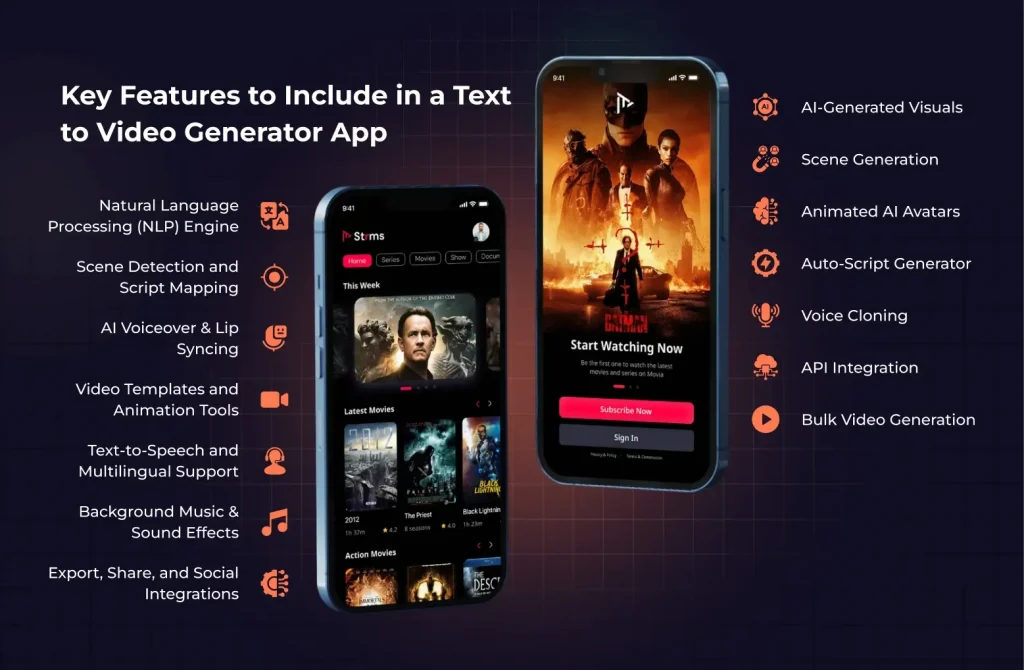
Key Features to Include in a Text to Video Generator App
A great Text to AI Video Generator App should include a variety of AI inspired features and their audience-focused features together to deliver the best output and function.
1. Natural Language Processing (NLP) Engine
NLP algorithms not only have the ability to analyze and map user input scripts but also extract the meaning and structure of the story flow. Moreover, they identify emotions and the context of the story itself. As a result, this enables the AI to seamlessly choose visuals, transitions, and sounds that match the tone and structure of the script.
2. Scene Detection and Script Mapping
The AI must detect long-form text to break it down into scenes that hold meaning and can be visualized. Advanced scene mapping can auto select stock footage animations or b-roll for each segment video composition.
3. AI Voice Over and Lip Sync
The AI can also use lip-syncing tech to animate the avatars or characters to speak in sync with the generated voice to help with realistic visualizations and to promote a deeper emotional connection.
4. Video Templates and Animation Libraries
Users should have available optional templates and animation libraries and the ability to select or autogenerate the layout, style, fonts, and transitions that are branded company for them. Users should be able to apply company branding or their creative style to add a personal taste to the content that they are creating.
5. Text-to-Speech and Multilingual Capabilities
The app should not only allow AI-generated narration in 80+ languages but also provide users with the opportunity to create videos that are both relevant and accessible for global audiences. Furthermore, this multilingual capability makes it easier to connect with more audiences and, consequently, expand your reach.
6. AI-Generated Visuals
Use generative models to create visuals, backgrounds, overlays, or short videos based on the contextual cues within a script, automatically matching scenes with creative assets.
7. Scene Generation
The AI will be able to take a script and logically break it into visual scenes, then combine the generated scenes into a format that makes sense and maximizes engagement for the viewer.
8. Background Music & Sound Effects
The AI will be able to automatically select royalty-free music, as well as atmospheric effects, that will enable powerful storytelling, strengthen the mood, and keep viewers engaged. You can curate your own media libraries, or the AI can suggest audio to match the context.
9. Animated AI Avatars
You can provide animated characters, or human-like avatars (driven by AI) that can impart video narration, making the content more relatable for the audience.
10. Auto-Script Generator
You can leverage GPT-4/Claude to expand seamless workflows, allowing users without any hesitation to generate more functional video scripts from summaries, bullets, or blog posts.
11. Voice Cloning
You can allow advanced users to clone their voice for narration, allowing individualized or branded outputs for video.
12. API Integration
You can allow integration for social posting, content management systems, and automation – broadening the enterprise expanse of implementations.
13. Bulk Video Generation
Give users the ability to upload multiple scripts/prompts to batch and upscale production for multiple purposes – this could be critical for marketing agencies and content teams.
14. Export, Share, and Social Integrations
Export in multiple formats and resolutions and one-click sharing to the major platforms (YouTube, LinkedIn, Instagram), for maximum efficiency and reach.
AI Models and Tools to Power Your App
With your models and frameworks defined, you can ensure the greatest accuracy, quality, and scale of your Text to AI Video Generator App.
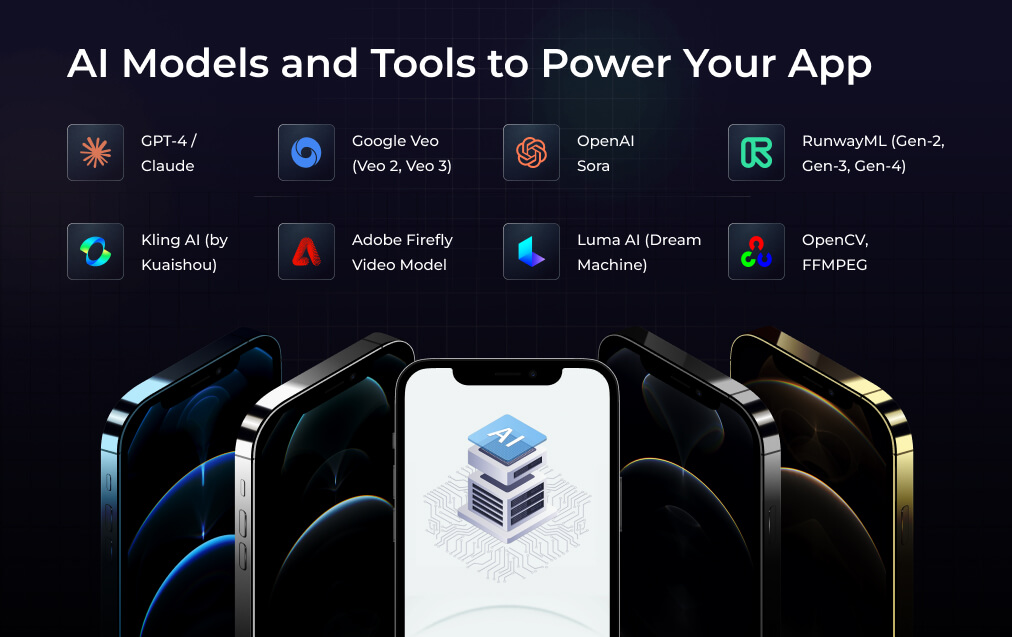
- GPT-4 / Claude: Mundane LLMs for script writing, expanding content, and story logic.
- Google Veo (Veo 2, Veo 3): Advanced text-to-video models that demonstrate cinematic realism and scene comprehensibility.
- OpenAI Sora: A multimodal transformer for real-time video synthesis from text prompts.
- RunwayML (Gen-2, Gen-3, Gen-4): A go-to in the media space for fast, flexible generative video.
- Kling AI: The leader in expressive 3D and avatar video animation from Kuaishou.
- Adobe Firefly Video Model (now in alpha): The first AI for commercial, IP friendly video generation integrated in Adobe apps.
- Luma AI (Dream Machine): Innovator in synthetic VFX and generative video content.
- OpenCV, FFMPEG: Key open-source toolkits for encoding and editing and video manipulation in the periphery pipeline.
Process of Building a Text-to-AI Video Generator App
Best development practices include robust planning, agile engineering and deep subject-matter knowledge of AI. Below is a basic step-by-step process that would be pertinent to the delivery of the Text-to-AI Video Generator application:
Step 1: Identify Requirements & Use Cases
Identify main user goals, user groups, and prioritized use cases – who is the application for, is it for marketers, educators, businesses or influencers? As with any product or service offering, identify needs vs wants so that there is clarity before jumping into how it is all possible and capturing user experience flows.
Step 2: Determine Your Technology Stack
Determine backend technology (Python, Node.js), frontend (React, Vue), Cloud services (AWS, Azure), AI integration frameworks (TensorFlow, PyTorch), and other factors, keeping in mind that video processing, streaming, and inference at real-time levels will also need to be scaled.
Step 3: Build out the AI Video Pipeline
You will build out the central APIs that will process the text scripts into video artifacts. Note: The AI video pipeline will consist of natural language processing (NLP) module, voice generation module, visual/media asset generation module, scene divisions module, and timeline assembly.
Step 4: Create the App UI
The goal is to ensure simple navigation for users, from entering a script, selecting a template mode, previewing and editing the content generated. This will include UX/UI design using software like Figma/Adobe XD, and using React Native for cross-platform support.
Step 5: Create the backend & Cloud Storage
You will want to establish secure and scalable cloud storage for user media, video drafts and AI data/model files. You can implement RESTful APIs or GraphQL for transferring data to the back end and managing video assets.
Step 6: Load and finetune your AI Models
At this stage, you will take the core components of your AI models (NLP, TTS, Text-to-Video, Avatars, Music suggestion) and begin using them. In the case of an AI Text to Video Converter, it is important to do a periodic synchronization of your models with new datasets to improve the overall quality of its output, and increase variation of outputs.
Step 7: Testing and optimization
You need to test each core feature independently, as well as the integrated features, including batch video creation, Batch export, batch language support integration, and common edge cases- bad iterations and exported failures. You will want to look into some AI related evaluation metrics, UX testing, and of course performance profiling for performance limitations.
Step 8: Deploy and Scale
You will want to deploy your MVPs on some scalable cloud based infrastructure. You can use a cloud provider platform for containerization (Kubernetes), and automate scaling to cater for spikes in video rendering.
Step 9: Monetization
You will want to build and test your chosen monetization modules, prior to go-live to ensure the payment process is smooth, and the consumption experience is tracked.
Step 10: Continue to update post-launch
You should continuously collect user feedback, and then use those insights to get new feature upgrades shipped. In addition, you need to make new AI models available, while also fixing bugs and addressing performance issues so that, ultimately, you achieve stronger product differentiation.
Cost to Build a Text to AI Video Generator App
The cost for a fully-featured Text to AI Video Generator App is between $55,000–$80,000 for your minimum viable product (MVP) to $90,000– $140,000+ for a complete, enterprise, scalable platform. Key cost determinants include:
- AI model licensing, training, or any third-party APIs
- Video rendering and cloud storage infrastructure
- Multi-lingual and advanced feature support
- Custom UI/UX design and feature-rich front end
- Continuous AI model tuning & future-proofing
Monetization Strategies for AI Video Generator Apps
There are several tried are tested revenue models for Text to AI Video Generator Apps, for customers in different market segments:
- Freemium Model: Basic features free; premium AI video lengths, templates, or avatars behind a paywall.
- Monthly/yearly SaaS subscription: Monthly/yearly subscription unlocks professional output, brand controls, analytics, and bulk processing.
- Pay-per-export: Users pay per rendered/exported video, great for project-based clients.
- White labelling: Offer fully branded and customizable apps for enterprises or agencies.
- API access: Charge endpoint access for developers or platform integrators to build their own Text to Video AI generator solutions (see the top industry APIs).
Best Text to AI Video Generator Apps
These are the best tools in the category right now:
| Name | Core Strengths |
| Pika Labs | Realistic video scenes and dynamic storytelling |
| Synthesia | Lifelike avatars, multilingual narration, corporate adoption |
| Lumen5 | Marketing-centric, auto-branded video editing |
| AI Video | Fast bulk creation, user-friendly UI, wide template range |
| Text to AI Video Generator | Trusted by creators globally, robust output variety |
Check out their features to see how your app’s design, performance, and scalability goals stack up.
Future Trends in Text to AI Video Generator App Development
The future of next-gen Text to AI Video Generator Apps is evolving quickly:
- Hyper-Realistic & Longer AI Videos: Models generating long-form, cinema quality AI will compete with films produced by humans.
- 3D & AR Video Generation: Models generating interactive video that will be engaging and immersive in 3D, AR & other modalities.
- Real-Time AI Video Editing: Allowing users to adjust & extend or branch video scenes in real-time.
- Open Source & Decentralized AI Models: Decentralized, privacy-preserving competitors will introduce alternatives to big platforms with reduced lock-in, as well as lower prices.
- Multimodal AI: Support workflows that synthesize text, voice, image, video and 3D, expanding creative possibilities!
Why Partner with A3Logics to Develop a Text to AI Video Generator App?
A3Logics is an AI Development Company that has deep capabilities in scalable, high-ROI AI Solutions. We can make all aspects of building your solution simple and successful, detailing development and advanced AI models, securely deploying your App to the cloud, updating, and optimizing your assets after launch, for example.
Our full-service AI Development Services include future-proofing your solutions, and making project costs clear, and providing world-class support, to ensure you and your customers take your project to market, and continue to succeed.
Final Thoughts
Video content is in high demand right now. Moreover, artificial intelligence is progressing at substantial rates. As a result, now is the ideal time to create a Text to AI Video Generator App. Furthermore, these new app-based platforms can leverage AI text-based video generation. In addition, they use advanced NLP models to help individuals and companies transform ideas into compelling films.
When businesses take advantage of adaptable feature sets, scalable architectures, and the latest advancements in AI like GPT-4, Google Veo, and RunwayML, companies can operate with more efficiency, more creativity, and greater global reach.
Your technical stack, your case’s complexity, and all of the features you wish to have will affect how long, and how much it will cost to develop. However, with the right planning and the right AI models, supported by a qualified corporate AI Consulting service, the goal of a powerful AI Text to Video App is realistic. The prospects are brighter with more revolutionary, realistic, interactive, and simpler-to-use AI-generated video creation tools on the horizon.
A custom Text to AI Video Generator App creates several new platforms to develop stories and engage people whether you’re a brand seeking to automate content or a startup seeking to disrupt the current landscape. If you want to stay ahead and in the game as this space continues to accelerate, find a partner like A3Logics that specializes in AI Text to video app development to fit your custom build. Good luck!